app-state-diagram
Design Application with AI and IA
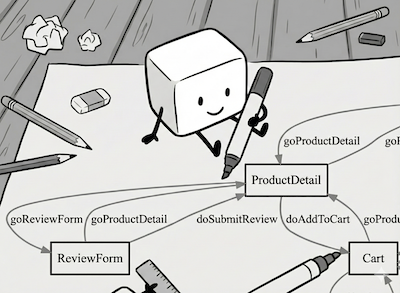
Start a new project with AI-assisted ALPS design:
mkdir my-app && cd my-app
Install (choose one):
# Homebrew (Recommended)
brew install alps-asd/asd/asd

# Composer (PHP 8.1+)
composer require koriym/app-state-diagram
AI Integration Methods
| Priority | Environment | Method |
|---|---|---|
| 1st | Skill clients* | Skill (recommended) |
| 2nd | MCP clients | MCP Server |
| 3rd | Chatbots/Agents | URL Reference |
*Skill clients: Claude Code, OpenAI Codex
Skill
claude --version  # Requires 1.0.3+

mkdir -p .claude/skills/alps
curl -o .claude/skills/alps/SKILL.md \
  https://raw.githubusercontent.com/alps-asd/app-state-diagram/master/.claude/skills/alps/SKILL.md
Verify skill is available:
- Ask: “What skills are available?”
- Response should include “alps” skill
Then ask:
- “Use the ALPS skill to create an ALPS JSON file for a blog system”
- “Validate alps.xml and fix any issues”
MCP Server
Setup
- Create
.mcp.jsonconfiguration file:
cat > .mcp.json <<'EOF'
{
  "mcpServers": {
    "alps": {
      "command": "asd",
      "args": ["--mcp"]
    }
  }
}
EOF
- Verify setup:
/mcp # Should show "alps" in the list
Note: MCP connection may disconnect during sessions. If you see “MCP connection lost” errors, simply run /mcp to reconnect.
- Use with natural language:
- “Review my alps.json file and suggest improvements”
- “Validate the ALPS profile in bookstore.xml”
- “Generate an SVG diagram from alps.json”
For Other MCP Clients
Add asd --mcp as stdio server in your MCP client configuration.
Chatbots/Agents
Add to your AGENTS.md, CLAUDE.md, or system prompt:
@import https://raw.githubusercontent.com/alps-asd/app-state-diagram/master/.claude/skills/alps/SKILL.md
Or reference directly: “Use the ALPS guide at https://raw.githubusercontent.com/alps-asd/app-state-diagram/master/.claude/skills/alps/SKILL.md”
Why ALPS First?
ALPS and OpenAPI serve different purposes:
| ALPS | OpenAPI | |
|---|---|---|
| Focus | What (meaning) | How (constraints) |
| Role | Vocabulary & semantics | Validation & HTTP details |
| Example | “A post has title, body, tags” | “title: required, max 100 chars” |
| Analogy | Floor plan | Plumbing diagram |
Benefits of ALPS-first design:
- Multi-format: Generate OpenAPI, GraphQL, gRPC from one ALPS
- Design purity: Focus on domain before HTTP details
- Shared understanding: Teams discuss concepts, not endpoints